
When it comes to choosing a platform for building your OnlyFans-like website, WordPress and OnlyFans clone scripts are the two main choices. Fanso.io is one of the leading OnlyFans clone script providers with proven experience in building creator platforms, including built-in monetization features.
WordPress is easy to use, provides extensive plugins, and offers a large community support. It’s perfect for businesses with an existing WordPress system, developers, or an extensive development budget.
Fanso is ready to deploy, cost-effective, and offers a quick launch with proven features and a skilled tech team. It is best for early-stage startups, entrepreneurs, and niche-creator communities.
Table of Contents
Quick Verdict: Which Platform To Choose?
| Use Case | Best Choice | Why? |
| Entrepreneurs with a limited budget | Fanso | One-time payment vs. $20,000 development cost |
| Non-technical Founders | Fanso | Requires no coding skills or technical expertise |
| Full Source Code Ownership | Fanso | 100% open source code |
| Existing WordPress System | WordPress | Better compatibility & extensibility |
| Full Customization & Scalability | Fanso | Premium add-ons and in-house full-time developer resources |
Overview of Fanso & WordPress
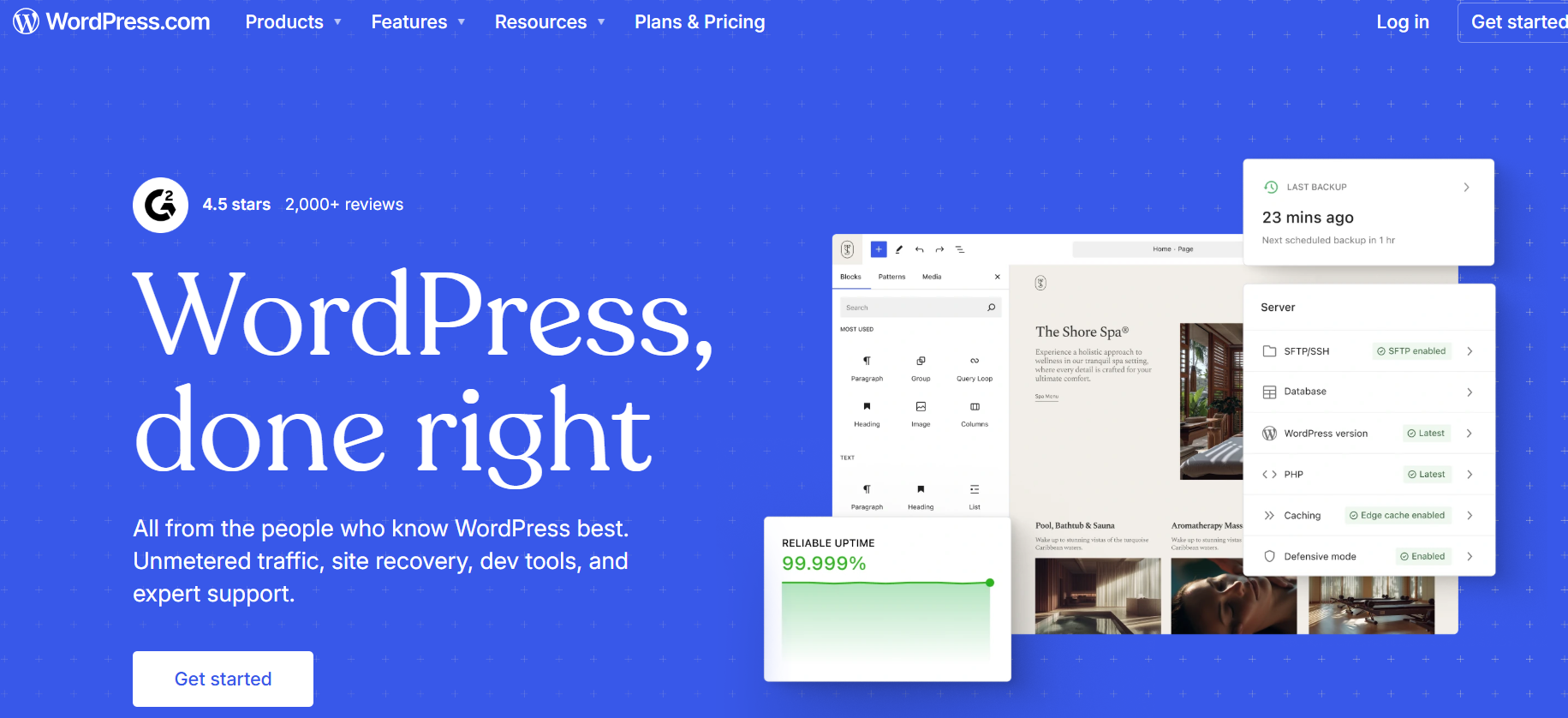
WordPress
WordPress is one of the most widely used open-source CMS (content management system). It is popular for its simple interface, flexibility, extensive plugins, and affordable plans. WordPress powers around 43% of websites around the world.
However, the key question here is: Can you build a website like OnlyFans with WordPress? You need extensive customization and plugins like MemberPress, WooCommerce and BuddyPress to build an OnlyFans alternative.
Pros
- User-Friendly Interface: Creating and managing content is easy even for non-technical users
- Large Community and Support: Extensive resources and documentation available
- Extensive Plugins: Several plugins for monetization, memberships, and e-commerce
- SEO-Friendly: Built-in SEO structure for website visibility
Cons
- Plugin Dependency: Needs plugins for core OnlyFans features like subscriptions, livestreaming, and community features.
- Limited Scalability: Scaling WordPress needs strong technical expertise and heavy optimization.
- Security Risks: Potential security vulnerabilities in outdated themes, plugins, and insecure configurations.
- Slow Performance: Plugin dependency leads to performance issues and conflicts as the website grows.
- Long-Term Costs: Plugins and customizations add to the overall development cost
- Adult Content Restrictions: Many hosting providers and plugins might not support adult content.
Best for: Ideal for businesses with an existing WordPress system, an extensive budget, or unique customizations through WordPress plugins .
Fanso
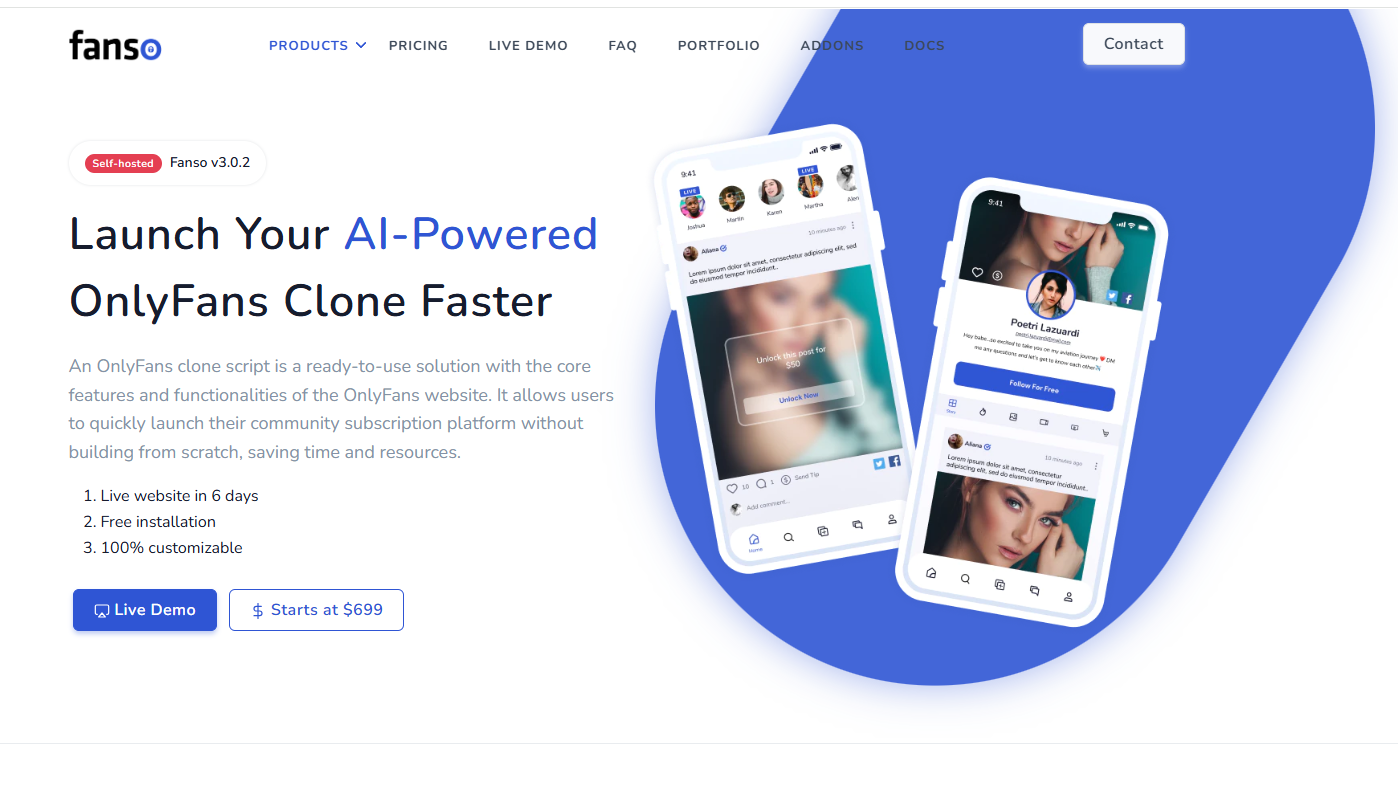
Fanso’s OnlyFans clone script is ready-to-use with all the core features of the main website, helping to launch your OnlyFans-like website within a few days. Unlike WordPress, Fanso is specifically tailored to subscription creator platforms and embraces the proven OnlyFans business model. It comes pre-built with subscriptions, PPV, livestreaming, e-commerce store, dashboards and analytics. All you need to do is customize it based on your business needs and niche.
Pros
- Quick Launch: Launch your live website within 5-6 days.
- One-time cost: Lifetime license with no recurring charges and covers all core OnlyFans features.
- Subscription-Focused: Tailored to the creator subscription business model.
- All core features and monetization: Built-in core monetization, community features, analytics & reporting, payment processing.
- Highly customizable & scalable: 100% white-labeled and highly scalable with an open source code access for full customization.
- Years of Expertise: Proven 10+ years of business experience building successful creator marketplace platforms
Cons
- Tailored to the creator economy: Designed with a focus on creator marketplace platforms like OnlyFans, Patreon, Cameo, and Fansly.
Best For: Early-stage startups, businesses with low budget, faster time-to-market requirements, and niche-creator communities.
Cost Comparison
WordPress
WordPress is a free platform, but it needs extensive plugins for every functionality. You need MemberPress for subscriptions, BuddyPress for user profiles, and WooCommerce for payments and e-commerce. If you’re choosing professional developers, the custom development costs $20,000 – $60,000 for building everything from scratch.
Fanso
Fanso is available for a one-time cost of $699 – $1499, with no recurring charges or hidden cost.
- Starter Package: $699 (one-time) – All core features, 6 months free support, encrypted source code
- Professional Package: $1499 (one-time) – All core features, 1 year free support, 100% source code access
- Customization: Additional customizations at $25/ hour and installation within 1-2 weeks
- Support & Maintenance: $999 per year, opt-in after one year of free support
WordPress vs. Fanso: Detailed Cost Comparison
| Cost Factor | WordPress | Fanso |
| Core Product | Free | Single-time cost
Starter package– $699 Professional package– $1499 |
| Hosting | $42 -$150 /month | $42 -$150 / month (VPS hosting recommended) |
| Theme/Design | $20 – $150 (one-time) | White-labeled & customizable (Included in the pricing) |
| Plugins (MemberPress, BuddyPress, WooCommerce Restrict Content Pro, WordFence) | $600 – $2,000+ / year | Built-in |
| Live Streaming | Agora service ($0 – $340 / month) | Agora ($0 – $340 / month) |
| Payment Gateways | Stripe – 2.9% + $0.30 per transaction
(Variable and depends on the payment gateway) |
Stripe – 2.9% + $0.30 per transaction
CCBill (Adult-friendly)– 10.8% to 14.5% per transaction approximately (Variable and depends on the payment gateway) |
| Other Plugins (BuddyPr) | $5 to $100+ / year | $25 / hour ($3000 monthly development costs for customization) |
| Development Fees | $10,000 – $70,000 | Ready-to-launch OnlyFans clone with all core features |
| Maintenance & Support | $0 to $50 per year (optional) | Free support for first year ($999 per year after that) |
| Estimated First Year Cost | $20,000 – $60,000 (depending on customization) | $1499 (Single-time cost) |
| Total Savings with Fanso | – | $18,500 |
Winner: Fanso – Launch at $1499 with free one-year support and save $18,500 development cost in the first-year.
Time-To-Market
WordPress
Takes weeks to months for feature development, extensive plugins, themes, and configurations.
Fanso
Ready to launch within 5 – 6 days with all the pre-built features and functionalities of the OnlyFans website.
Winner: Fanso – Quick launch within 5-6 days with pre-built features.
WordPress vs Fanso: Detailed Comparison
1. Features Out-of-Box
WordPress
Needs extensive plugins or custom development for every core OnlyFans feature. MemberPress for subscriptions, plugins for multi-tier access and profiles, and third-party services for live streaming, tipping, and PPVs.
Fanso
Includes built-in subscriptions, payment gateways (Stripe and CCBill), livestreaming, tipping, e-commerce store, community features, content management, creator dashboard and analytics.
| Features | Fanso | WordPress |
| Subscriptions | ✅ Built-in | ✅MemberPress Plugin |
| Multi-Tier Access | ✅Built-in | ✅ Plugins |
| Pay-per-view | ✅Built-in | ❌ Custom-development |
| Livestreaming | ✅Agora.io | ❌Needs third-party configuration |
| Tipping | ✅Built-in | ❌ Custom development |
| Content Management | ✅Built-in | ✅Content Management |
| Analytics & Reporting | ✅Built-in | ❌ Limited plugin support |
| Paid Messaging | ✅Built-in | ❌ Third-party plugins or custom development |
| E-commerce Store | ✅Built-in | ✅WooCommerce plugin |
| Community Features | ✅Built-in newsfeed, verified profiles, likes, comments, sharing, search and discovery | ❌Limited community support (for newsfeed and messaging) |
| Payment Processing | ✅Stripe (for non-adult platforms), CCBill (for adult platforms) | ✅ Using payment plugins like WooCommerce for Stripe, PayPal |
Winner: Fanso – Built-in core OnlyFans monetization and community features
2. Ease-of-Use
WordPress
WordPress is known for its simplicity, but managing extensive plugins and themes can be complex. Most plugins, like MemberPress and WooCommerce have a steeper learning curve and need guidance. The final outcome could be: data silos and fragmented settings.
Fanso
Fanso offers a simple user interface with built-in dashboards and community features, helping to monetize from day one. The creator dashboard helps to manage media, store sales, and earnings from one place. Sophisticated admin panel helps to track content, users, creators, revenue, and brand settings.
Winner: Fanso – Easy-to-set-up, simple user interface, built-in dashboards and analytics feature.
3. Technical Expertise
WordPress
Building an OnlyFans website with WordPress needs extensive plugins and custom development. Someone who is new to WordPress cannot build such a complex website, as there is no ready-made theme or plugin. Either you need to hire a developer or learn WordPress themes and customization, which takes months of learning.
Fanso
Fanso is a ready-to-use OnlyFans clone script and doesn’t require any coding skills or technical expertise. All the features are pre-built, there are no plugin dependencies or complex integrations required. Hence, Fanso.io is perfect for early-stage startups and entrepreneurs as well.
Winner: Fanso – Ready-to-use clone script with pre-built features and monetization
4. Adult Content Support
WordPress
WordPress isn’t recommended for building adult platforms. Only a few payment gateways and hosting providers like Hostinger and Dreamhost support the adult niche. Further, missing content moderation and age-verification flows can cause compliance issues.
Fanso
Supports both adult and non-adult niches for building creator platforms. From CCBill configuration for payment gateway to content moderation, age-verification support, and creator security controls, Fanso is an all-in-one community marketplace solution.
| Adult Support | WordPress | Fanso |
| Payment Gateway | ❌ Limited payment gateways support adult content | ✅CCBill recommended |
| Hosting Provider | ❌ Few hosting providers support adult content | ✅Self-Hosted |
| Content Moderation | ❌ No built-in flows | ✅Built-in post verification |
| Model Profile & Age- Verification | ❌ Needs additional plugins | ✅Manual document verification & supports third-party age-verification customizations |
| Creator Security Controls | ❌ Needs Custom development | ✅Built-in encryption, geo-blocking, download disabled, role-based access |
Winner: Fanso – For built-in payment gateway and compliance support
5. Scalability & Flexibility
WordPress
Scaling with WordPress is a bit tricky and needs technical expertise. It’s more ideal if you choose WordPress.org (self-hosted) instead of WordPress.com for scalability. Whether it’s horizontal scalability and database storage, it needs proper optimization.
Fanso
Fanso comes with diverse monetization features and third-party configurations, making scaling easier. You get premium add-ons for multi-language support, multi-server setup, local payment gateways, CDN, AI features, and marketing. Also, hire full-time developer resources with us for custom development.
Winner: Fanso – Diverse monetization features and premium add-on support
6. Security
WordPress
Although WordPress has regular core updates and a massive developer community, its plugins and themes are vulnerable to security attacks. Hence, WordPress isn’t recommended to develop an OnlyFans-like website, given the security protection required.
Fanso
Fanso provides end-to-end SSL/HTTPS data encryption, regular security updates, role-based control, content moderation, and age-verification support. Creator-level support includes secure login, download protection, geo-blocking, invisible watermarking(add-on), and anti-piracy features.
Winner: Fanso – Built-in security and privacy controls and industry compliant.
7. Mobile Support
WordPress
Using responsive themes helps to adapt your images, content and layout based on the viewer’s screen. Additionally, you can install the Accelerated Mobile Pages plugin (AMP) for fast-loading mobile pages. However, much of the UX experience is theme-dependent.
Fanso
Highly mobile, responsive and optimized for smartphones, tablets, or desktops. Intuitive navigation, smooth layouts and responsive design put forth a seamless UX experience.
Winner: Fanso – Mobile-optimized UX and responsive design
Practical Decision: When to Use Fanso or WordPress?
Choose WordPress If You:
- Own an existing WordPress website.
- Have skilled WordPress developers and resources.
- Have an extensive development budget of $20,000 – $80,000.
- Need unique workflows available within WordPress platforms.
Choose Fanso If You:
- Need to launch quickly within 5-6 days.
- Have a limited budget for development.
- Are a non-technical person and lack coding skills.
- Planning to launch specifically into the adult niche.
- Desire a modern, user-friendly and security-first platform.
- Prioritize building an AI-first creator marketplace.
- Need built-in support for core monetization features like subscriptions, PPV, livestreaming, tipping and e-commerce.
- Need a proven business model with a solid 10 years of development experience.
- Planning to scale your business and need advanced premium customizations in a short time.
The Final Verdict: Why Choose Fanso Over WordPress?
While WordPress is a popular CMS for building websites, OnlyFans-like platforms have complex features and integration needs. Fanso is custom-built for launching creator and membership platforms with proven core features and adult-specific platform flows.
Here’s why Fanso wins over WordPress:
- One-time investment- Fanso costs $699 – $1499 covers core features and life-time license.
- Fast time-to-market: Launch your platform within 5-6 days, skipping months of development.
- Adult Support – Built-in content moderation flows, document verification, CCBill support and creator security controls.
- Simple & Intuitive – User-friendly interface, creator and admin dashboards, search & discoverability, recommendations.
- Highly scalable – Diverse monetization, extensive add-on ecosystem, and full-time developer resources for deep customizations.
- Robust Security– Enhanced platform and creator security controls, industry-compliant
- Mobile Responsive- Optimized UX experience from smartphones, desktops, tablets, etc.
Contact us today to be the next disruptive power in the creator economy and not just another OnlyFans clone!
FAQ- Related to WordPress Vs. Fanso
1. What is the main difference between Fanso and WordPress?
Fanso’s OnlyFans clone script is ready-to-use, suitable for quick launch within 6 days, while WordPress is a popular CMS with a simple interface and extensive plugin support.
2. How to make a website like OnlyFans using WordPress?
You can build an OnlyFans-like platform with WordPress, using extensive plugins and custom development.
3. Which is faster: WordPress or Fanso?
Fanso is faster than WordPress for building OnlyFans-style platforms due to built-in monetization and integration support.
4. Is Fanso easier to set up than WordPress?
Yes, Fanso is easier to set up than WordPress due to pre-built features, no plugin setup, or complex customizations.
5. Can WordPress manage subscriptions and pay-per-view?
Yes, it is possible to handle subscriptions and pay-per-view with WordPress using MemberPress and custom development.
6. Which is better for scalability: WordPress or Fanso?
Fanso is better for scalability as it is tailored for creator platforms and provides diverse monetization streams. While WordPress is scalable, extensive plugins could slow performance and cause conflicts.
7. Which is more secure?
Fanso supports robust security controls, while WordPress themes and plugins have vulnerable security loopholes.
8. Which is better for non-technical entrepreneurs?
Fanso is better as it doesn’t require coding or technical expertise. WordPress plugins and customizations need technical knowledge.
9. Do I need a developer for WordPress customization?
Yes, you need a skilled WordPress developer to build a website like OnlyFans.
10. Does Fanso support multiple creators and revenue split?
Yes, Fanso provides built-in marketplace support to manage multiple creators and standard commission.