
TL;DR
Here we jump straight to the point and answer if WordPress is the right fit for building your Patreon-like platform:
| Use Case | Best Choice | Why? |
| Entrepreneurs with limited budget and non-technical founders | Fanso (Patreon Clone Script) | One-time payment instead of $40,000 development cost |
| Existing WordPress System & Powerful Developer Team | WordPress | Robust membership features & extensive plugin ecosystem |
| Unique Business Workflows & Specifications | Custom Development | Complete control over development & enterprise-level platform |
Over a decade ago, Patreon showed up in the creator economy connecting creators and patrons directly. While creators found additional revenue streams, fans got a chance to relive deeply personalized fandom experiences. After 13 years since its inception, many creators are looking beyond the popular membership site. The biggest gaps are its standard 10% platform fee, restrictive content policies, limited branding and feature control.
If you’re building a Patreon-style platform, finding the right development technology is crucial as it could either make or break your membership site. WordPress is a powerful choice to put your platform on the ground, however, its upfront technical complexity and maintenance makes you look for alternatives.
So, if you’re wondering: Is WordPress the right choice for your Patreon-like website? You are at the right place, where we’ll break down the benefits of WordPress, take a deep dive into WordPress plugins, and discuss when it’s not the right choice, and smart alternatives for Patreon clone development.
What are the Benefits of Building a Patreon Alternative with WordPress?
Building a powerful membership site like Patreon is feasible with WordPress’s easy-to-use interface, extensive plugins and community features. Your WordPress-powered website could include everything from membership tiers and recurring payments to private discussion spaces and live Q&As.
Here are the top benefits of choosing WordPress:
- Niche and community-driven features
- Custom plugin support
- Large pool of WordPress developers
- Complete control and ownership over your site’s design, functionality, and branding
- Advanced membership features, integrations, or custom workflows
However, building with WordPress also means taking responsibility for plugin management, updates, configurations, and hosting.
Tools & Plugins for Building a Patreon-Like Website on WordPress
WordPress is a popular CMS with a broad range of premium plugins. It provides tools for building a solid membership community like Patreon, connecting fans with their favorite creators.
Before moving on to the tools, first, decide the kind of membership site you’re building. Think about the features, whether you’re offering free or paid membership, and what users would access through the membership tiers. This could include exclusive content, courses, live classes, dedicated member-only spaces, merch store, etc.
Next, let’s look at the core functionalities for launching a full-fledged membership platform.
Core Functional Requirements:
- User Registration and Profile Management
- Membership Tiers & Management
- Secure Payment Processing
- Private Chats & Notification
- Video Integration
- Content Restriction & Access Control
- Community & Engagement Tools
- Security & privacy controls
- Email Marketing Automation
- Analytics & reporting
Essential WordPress Plugins For a Basic Membership Site Tech Stack
Finally, we list out the plugins for launching your membership site with WordPress:
1. MemberPress (Membership)
MemberPress is one of the most popular plugins for adding user registration, membership tiers, recurring payments and a dashboard in your site. This lets you manage multiple memberships, such as Basic, Premium and VIP tiers, similar to Patreon’s membership model.
Its powerful features include content restriction, membership levels, recurring billing (for one-time payments and subscriptions) and even content dripping. While MemberPress handles memberships exceptionally well, when it comes to a multi-creator marketplace and revenue sharing, extensive customizations are required.
2. Paid Memberships Pro (Membership)
Paid Memberships Pro is a freemium membership plugin offering unlimited membership tiers, more payment processor options, and advanced customizations. The plugin is fully open source with extensive add-ons for email marketing, affiliate course creation, and other complex functions.
3. Stripe for WooCommerce (Payment Processing)
With Stripe for WooCommerce, you can create a robust membership system that accepts one-time and recurring payments securely through Stripe. You can create and manage membership plans and exclusive content access for your members. Moreover, it helps to set up monthly, annual or tiered subscriptions, control the pricing, and automate renewals.
4. BuddyBoss (Community Building)
This plugin is for websites that thrive on community engagement. They provide forums, discussion groups and live Q&A sessions, much like a powerful fan club. Here members connect, share ideas and grow together! You can manage courses, community, and even membership controls all together without the need for separate plugins for each functionality.
5. FluentCRM (Email Marketing Automation)
FluentCRM is a WordPress plugin for CRM and email automation. You can use the plugin to automate onboarding, build email lists and send email sequences based on specific triggers. For example, a member gets an email confirming their subscription or notifying a purchase from the merch store.
Other Plugins
- PayPal Payments
- WooCommerce Subscriptions
- bbPress
- Dokan
- MailPoet
- Vimeo OTT/Bunny Stream ( for Video Integration)
Drawbacks of Using WordPress for Patreon Clone Development
While WordPress is great for membership websites, you need strong technical expertise to build from scratch using the CMS. If you’re a first-time WordPress user or an entrepreneur with limited technical skills, this might be a long, uphill climb. Because setting up the WordPress site is the trickiest part!
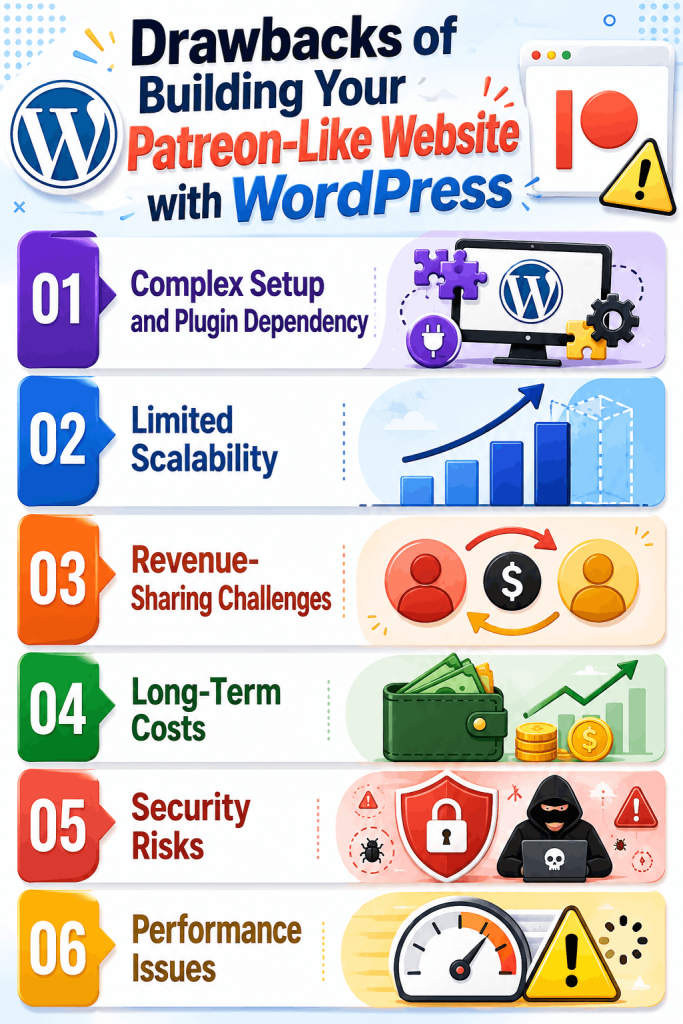
Here are few more downsides of building your membership site with WordPress:
- Complex Setup and Plugin Dependency: Managing the complete plugin stack for subscriptions, payment integration and community features involves a steeper learning curve.
- Limited Scalability: As your membership site grows, accommodating multiple creators and growing traffic demands strong technical expertise and heavy optimization with WordPress.
- Revenue-Sharing Challenges: Automated payment splitting, creator payouts, and commission management need complex customizations with WordPress.
- Long-Term Costs: Managing multiple plugins, security patches, and updates scales up costs and gets more complex as your platform grows.
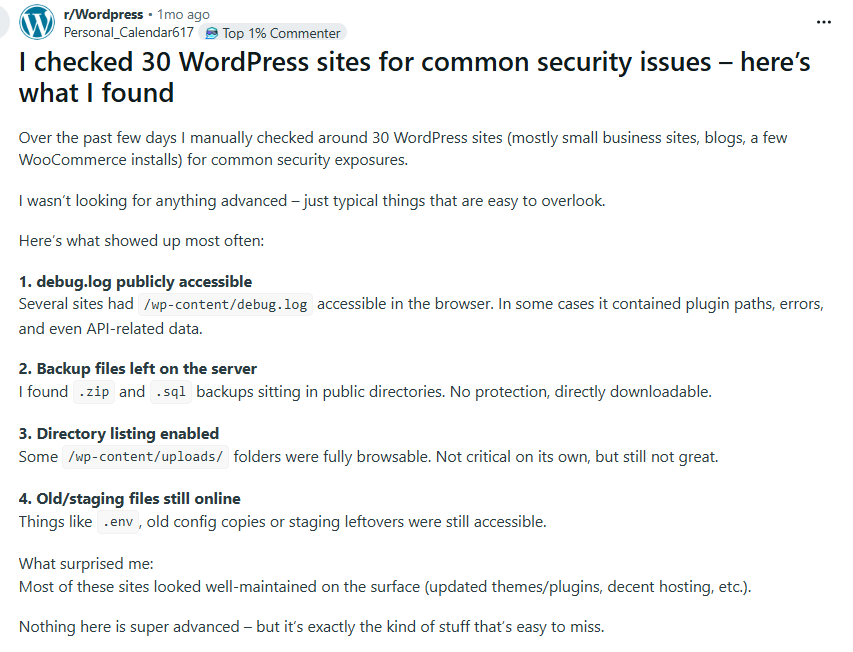
- Security Risks: Users have reported potential security vulnerabilities in outdated themes, plugins, and configurations.
- Performance Issues: Integrating multiple plugins and tools can slow down your website’s performance and even cause configuration conflicts
When WordPress is Not the Right Option?
While WordPress is a solid development choice for Patreon-style websites at MVP stage with a small audience. But as you scale your platform with deep customizations, complex feature integrations or marketplace-scale operations, it starts to work against you.
Here are few scenarios when you need to look beyond WordPress:
- You’re planning to scale your platform with hundreds of creators and users
- Your platform processes several subscriptions requests daily
- Advanced analytics and real-time engagement are core to your platform experience
- You’re launching a marketplace-style platform with payment splitting, and commission management.
- You don’t have an in-house development team for building with WordPress
So, do you need to build the membership site all by yourself? Are there any practical alternatives?
Better Alternatives for Patreon Clone Development
Now that you know about the pros and cons of WordPress, let’s discuss better Patreon alternatives for Patreon development.
Fanso
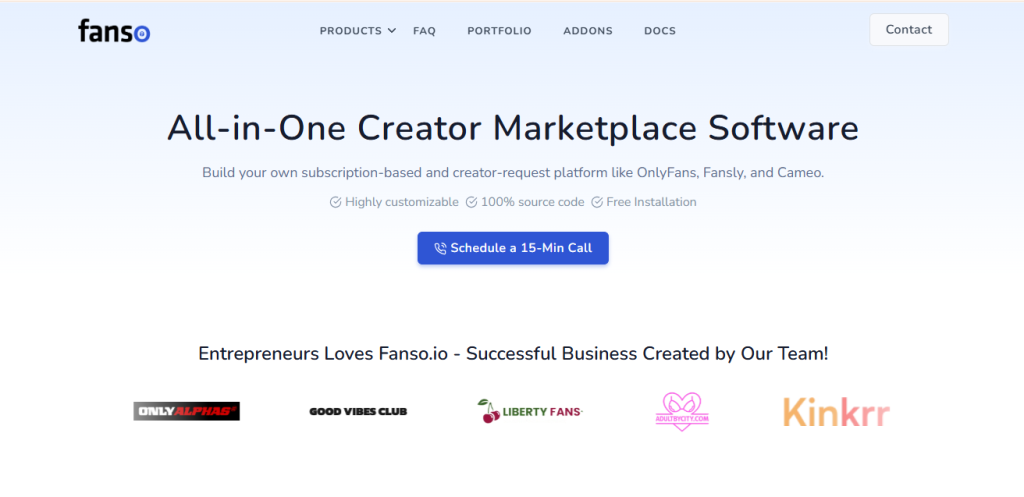
Fanso is a powerful, fully-customizable, white-label Patreon clone script with all the essential features and functionalities for building an empowering community marketplace platform. It comes pre-integrated with membership tiers, a secure payment gateway, live video conferencing and a merch store.
The ready-made clone script enables entrepreneurs and businesses to skip building from scratch and launch their platform within 5-6 days. Beyond feature development, Fanso offers a broad range of premium add-ons and full customization support.
Pros:
- Highly-customizable & white-label options
- Cost-effective; MVP starts at $ 700 to $1,500
- Subscription and niche-focused features
- Scalable architecture and modern tech stack
- Multiple revenue streams
- One-time purchase & no recurring fees
- Extensive third-party integrations and custom add-ons
- Free support for 6-12 months
Why Consider Fanso?:
Helps you build a future-ready membership platform with full control over feature development, branding, and long-term growth.
Best For:
Ideal for entrepreneurs and startups planning to launch within a limited budget
Custom Development
Custom-built platforms require building all the features and workflows from scratch with an extensive budget and months of development. While you get complete control over development and design, you need to reinvent the wheel. On top of that, project delays, technical debt, and budget overruns add to the failure risk.
Pros:
- Complete control over development and design
- Tailored to your business model and niche audience
- Full ownership & high scalability
- No vendor lock-in
Limitations:
- Extensive budget
- Long development cycles
- High maintenance costs
- Technical risk due to project delays, refactoring costs and changing business needs
- Requires thorough testing to verify if all features and functionalities are as expected
Comparing Development Approaches: Fanso, Custom Development, WordPress
Choosing the right development approach depends on feature complexity, budget, customization, technical skills and scalability needs. While navigating the development choices could be difficult, here’s a quick comparison to ease the process.
| Comparison Aspect | Fanso | Custom Development | WordPress |
| Development Time | 5-6 days | 4 to 12 months | Weeks to months |
| Initial Cost | $700 to $1500 (MVP Platform) | $40,000 to $100,000+ approximately | $20,000 to $60,000 (Includes plugin cost, development fees, and maintenance costs) |
| Maintenance & Support | Less | High | High |
| Technical Expertise & Development Complexity | Low | High | Moderate |
| Scalability | High | High | Limited |
| Multi-Creator Marketplace Support | High | High | Requires multiple plugins |
| Ownership and Control | Full Ownership | Full Ownership | Full Ownership |
| Payment Splitting, Commission Management | Built-in Features | Included in Customization | Requires complex customizations |
Final Thoughts
While WordPress is a popular CMS, Patreon-like websites have complex features and community-centric integrations. The steep learning curve, plugin dependency, and scalability issues supersede the benefits of WordPress.
The good news is that there are a few other modern, smart alternatives for entrepreneurs which are easy to use, need less technical know-how and are highly customizable. Fanso offers one such custom-built Patreon clone script for launching your membership website with all essential features, pre-tested, 100% customizable and branding support.
If you have any questions about building a membership site like Patreon, contact us for development guidance.
FAQs Related to “Is WordPress the Right Choice for Your Patreon-Like Website?”
1. Can I build a Patreon alternative using WordPress?
Yes, it is possible to build a Patreon alternative with WordPress using different custom plugins. However, the drawbacks include technical expertise, limited scalability and high cost of ownership due to plugin subscription costs.
2. Which WordPress plugins are needed for building a website like Patreon?
You need plugins such as MemberPress, BuddyPress, WooCommerce, BuddyBoss, and FluentCRM for building a Patreon-style website.
3. How much does it cost to build a website like Patreon with WordPress?
The cost of developing Patreon-like websites with WordPress is approximately $20,000 – $60,000, depending on the feature complexity and customization.
4. Which are better WordPress alternatives for Patreon clone development?
Choose purpose-built Patreon clone scripts like Fanso to launch a powerful, cost-effective and scalable community platform within 5-6 days.
5. Are Patreon-style platforms built with WordPress scalable enough?
Patreon-like websites built with WordPress have certain limitations in scalability. While you can launch a membership site with WordPress, managing custom plugins, growing traffic needs, and a multi-creator community is the biggest challenge.