TL;DR
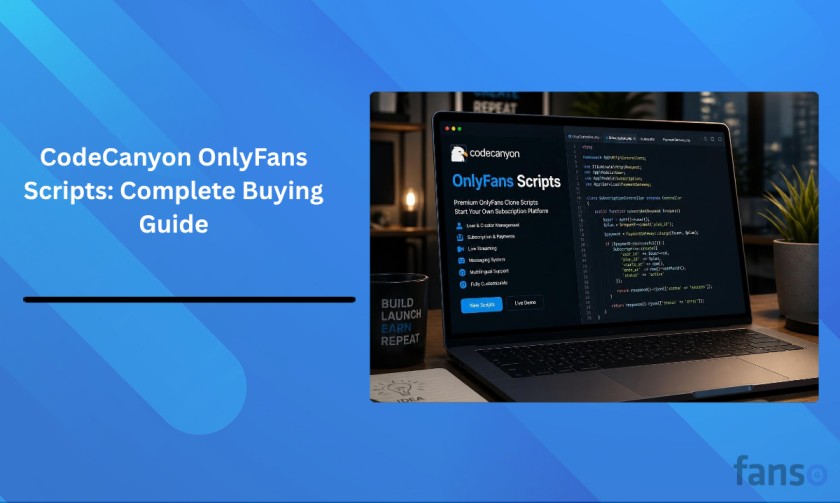
- CodeCanyon OnlyFans scripts such as JustFans and PHP FansOnly Patrons provide a ready-made base for building a creator subscription platform.
- The license price and package options can vary, and a lower-priced script may still require additional development or services before it is ready to launch.
- Check the downloadable version, including modules and assets, and test important workflows such as subscriptions, PPV content, payments, refunds, and creator payouts.
- Before deployment, confirm the source files, essential account access, documentation, backup process, and other information needed to operate and maintain the platform.
Comparing CodeCanyon OnlyFans scripts becomes more useful when every option is measured against the same business requirements. Products such as JustFans and PHP FansOnly Patrons provide base features for a creator subscription platform, but the buying decision depends on the package supplied and the work remaining before launch.
Weighing the pros and cons of CodeCanyon OnlyFans scripts helps establish whether this approach suits the business. Next, assess the downloadable release, test its transaction workflows, and identify the development needed to meet the platform’s requirements before committing to purchase.
This guide explains how to assess purchase deliverables, test complete workflows, compare quotations, and arrange a usable handover. You can choose an OnlyFans clone script based on evidence that matches the platform you intend to operate.
What Your CodeCanyon Script Purchase Includes
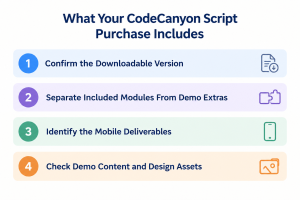
Start by checking that the features shown in the product demo are included in the version you will actually receive. Before evaluating individual features, establish which release, components, and assets the seller supplies. This makes it easier to separate what can be installed immediately from anything that depends on an additional purchase or future update.
Confirm the Downloadable Version
The demo should identify the version being demonstrated, and the seller should confirm that buyers receive the same release. A demo running newer code may include features or behaviour that are not yet available in the downloadable package.
The changelog helps distinguish released functionality from planned improvements. A feature marked “coming soon” remains outside the present purchase unless delivery is explicitly agreed. Any feature required for launch should already be available in the version you can download and install.
Separate Included Modules From Demo Extras
A short-video feed, referral dashboard, or advanced messaging screen may be included in the main application or offered as an optional module. The distinction matters when several features appear together in one preview.
For each essential module, establish whether its files are included and whether it needs another component to work. A visible button or administrator setting alone does not explain that dependency. A module list tied to the selected package gives the buyer a clearer picture of the actual product.
Identify website vs. Android/iOS deliverables
A website design that works in a mobile browser and a downloadable mobile application are different deliverables. The package description should identify whether it supplies a responsive website, Android or iOS source projects, or application builds intended only for demonstration.
If mobile app versions are included, the required backend and API dependencies should also be identified. Branding, compiling the app, and submitting it to an app store may be separate services. Confirm what is included before making mobile app part of your launch plan.
Check Demo Functionality and Customization
Test the live demo to evaluate the script’s core features, user flows, payment options, and admin controls. Then check whether the source code can be customized to match your business requirements, including branding, subscription plans, commissions, payment gateways, user roles, and content features.
Before purchasing, confirm the customization scope, documentation provided, and licensing terms. This helps you understand which changes you can make yourself, which require additional development, and what restrictions apply to the purchased script.
Key Workflows to Test Before Buying an OnlyFans Script
A useful demonstration follows a transaction through the subscriber, creator, and administrator views. Cancellations, interrupted payments, and balance adjustments show how connected parts of the application behave. The following scenarios can be demonstrated in a test environment against the billing and access rules planned for the platform.
1. Subscription Cancellation and Failed Renewals
Start with a subscription that displays its billing amount and renewal date. Cancelling before the next cycle should stop future charges, while access continues or ends according to the terms shown to the subscriber.
A failed renewal tests a different path. Observe the payment retry process, customer notification, and access expiry. The subscription status on the website should agree with the payment provider’s confirmed result.
Price changes deserve a separate check. If a creator changes the subscription fee, establish whether the change affects existing subscribers or only new purchases. The next renewal amount should be communicated correctly before billing, with any transition following the platform’s stated terms.
2. Access to Individually Purchased Content
Use one account to subscribe to a creator and purchase a separately priced pay-per-view (PPV) post. Then allow the subscription to expire and observe the two access rights independently.
Subscriber-only content should follow the subscription’s expiry rules. The individually purchased post should follow the terms attached to that purchase. This scenario reveals whether the application distinguishes a time-limited membership from a separate content entitlement.
A subsequent change to the post’s price should leave the original purchase identifiable. Access should also remain consistent across supported devices: a valid desktop purchase should be recognised when the same customer signs in through a mobile browser.
3. Interrupted Payments and Duplicate Transaction Records
A customer may complete payment and close the checkout window before returning to the website. The application needs to receive the provider’s confirmation and grant the purchased access without requiring another checkout.
The developer can then replay that same payment confirmation in the test environment. One payment should produce one purchase and one corresponding earnings entry. Repeated confirmations should not duplicate wallet credits or creator balances.
A declined payment should leave the new content locked and create no earnings. Administrators need enough information to distinguish a failure from a payment still awaiting confirmation. A transaction identifier that connects the website record to the provider’s record makes the difference easier to investigate.
4. Refunds and Commission Calculations
To check how subscription payments are split between the platform and creators, Use an example of a $100 subscription purchase with a 15% platform commission. Excluding taxes and processing fees, the initial allocation is $15 to the platform and $85 to the creator.
Now refund $40. If the agreed policy reverses commission proportionally, the remaining $60 should leave $9 in platform commission and $51 in creator earnings.
The customer’s payment history, creator dashboard, and administrator records should reflect the same adjustment. A full refund needs its own test, including the effect on purchased access. Where fees are retained, or deductions follow another rule, the displayed amounts should match that configured calculation.
5. Creator Payouts and Balance Adjustments
Follow a withdrawal request through the available, reserved, and paid balances. While the first request is pending, funds reserved for it should not be available for a second withdrawal.
A rejected request and a failed transfer may require different handling. The demonstration should establish when funds return to the available balance and how an uncertain transfer result is resolved before another payment is attempted.
Finally, refund a purchase after its earnings have already been paid to the creator. The agreed policy may require a negative balance, deductions from future earnings, or administrator review. The adjustment should remain traceable to the purchase and payout, including any manual action taken to resolve it.
How to Compare Costs Across CodeCanyon OnlyFans Scripts
OnlyFans Clone Scripts with the same purchase price can require different budgets to build the same type of creator platform. A useful comparison gives each shortlisted seller or developer the same launch requirements and expected first-year usage.
License Selection Changes the Starting Price
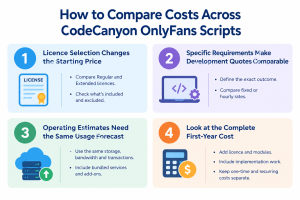
The license you choose can affect which script appears more affordable. JustFans offers a Regular License for $79 and an Extended License for $219. PHP FansOnly Patrons offers these options for $89 and $199, respectively.
JustFans has the lower Regular License price, while PHP FansOnly Patrons has the lower Extended License price. Both exclude tax and handling fees, and the figures are in US dollars.
The comparison needs the license applicable to the intended business model. Selecting the lowest displayed price without considering the required license can underestimate the actual purchase cost. Prices and terms should be reconfirmed before checkout.
Check Built-In Features Before Estimating Custom Development
A CodeCanyon OnlyFans clone script may appear cheaper until you compare how much development is needed to meet the same requirements. Give each seller or developer the same list of required changes so the quotations are based on the same final functionality.
For example, if your platform needs creator earnings reports with sales, refunds, commissions, and date filters, check whether the script already provides these functions. If they are included, you may only need configuration or minor changes. If they are missing, you may need to pay for custom development to add them.
The comparison should therefore include both the OnlyFans script price and the cost of reaching the required functionality. A script with a lower purchase price may become more expensive if several essential features need to be developed after purchase.
When custom work is required, ask for the scope, estimated hours or fixed fee, and completion conditions. Any requirement that has not been priced should remain visible as an unresolved cost rather than being treated as zero.
Compare the Total Cost Beyond the Script Price
The purchase price of a CodeCanyon OnlyFans clone script does not show the full cost of getting it ready for launch. Compare the scripts can have similar license prices but require different amounts of installation, configuration, customization, and additional modules.
Start by checking the technical requirements and dependencies of each shortlisted script. If one requires additional server resources, storage, or third-party services to support its existing features, include those costs in the comparison.
Next, check what the purchase includes after checkout. Installation, configuration, documentation, technical assistance, or optional modules may be included with one solution but charged separately with another. These differences can change the actual cost of getting the script running.
For example, Fanso’s OnlyFans clone includes installation, setup assistance, and a guided walkthrough. When comparing it with a CodeCanyon script, those services can be considered alongside any separately priced installation, development work, or optional add-ons.
The clearest comparison is the cost of getting each script to the same launch requirements. Include the license, required modules, installation, necessary customization, and any infrastructure or third-party services needed for the selected features.
This approach prevents the purchase price from becoming the only deciding factor. A cheaper script may require more development or additional services before it can meet the same launch requirements as a more expensive option.
What to Confirm Before Deployment and Handover
Handover gives the business the access and operational information needed to manage the installed platform. Its purpose is to make day-to-day administration, future developer changes, and recovery from technical issues not depend on the original installer’s personal accounts or undocumented knowledge.
Business Access to Essential Accounts
The business should control billing and recovery details for its domain, hosting, media storage, transactional email, and payment service accounts. Website administrator access does not automatically provide access to these separate services.
A hosting account registered under a contractor’s personal email, for example, can leave password recovery or billing changes dependent on that person. Where providers support team permissions, developers can instead receive access through individual accounts. Temporary permissions can be withdrawn after handover and shared credentials replaced, while the business retains the access needed to manage each service.
Instructions for Operating the Installed Platform
The operational guide should explain how to deploy the application, locate its configuration, restart services, and find error logs. Background tasks also need attention: email delivery and video processing may run separately from the main website and require their own restart procedures.
Document service connections, and keep API keys and access tokens secure throughout the handover. Transfer sensitive credentials through a secure channel, separate from the general guide, to protect access to connected services.
A Demonstrated Backup and Restore Process
A recovery demonstration in a separate environment establishes whether the saved files and data can recreate the platform. The backup scope should cover the deployed application, custom code, database, media, and configuration needed to rebuild it. Restoring user accounts and content records without their associated images or videos can leave the recovered website incomplete.
After restoration, verify that user accounts, creator profiles, posts, purchased content, and associated media are available and that the application can reconnect to the required services.
The recovery instructions should identify the backup location, schedule, retention period, and restoration steps. They should also name the person responsible for responding to backup failures and carrying out a restore.
Responsibility for Launch Approval
A named business representative should authorise the move to the live environment. Defects that prevent launch need to be distinguished from minor changes that can be completed afterwards.
Responsibility for resolving deployment errors and script defects should be agreed in writing with the relevant parties, particularly when the installer and script author are different providers. Deferred changes need explicit acceptance and a completion date. The launch record should identify who approved the release and any conditions attached to that decision.
Conclusion
The right CodeCanyon OnlyFans script is the one that meets the platform’s essential requirements within a budget the business can support. Verified functionality, clearly priced development work, and a complete handover provide the basis for deciding which script is worth purchasing and what additional work it will require before launch.
Essential requirements deserve more weight than optional features. When a critical capability remains unverified, or its implementation cost is unknown, the comparison is incomplete. Before purchasing, make sure you understand what is ready to use, what still requires development, and what will be needed to operate the finished platform after launch.
FAQs About CodeCanyon OnlyFans Scripts
1. How can a CodeCanyon script be updated without losing custom modifications?
Back up the installation, merge updates with custom code in a test environment, and verify custom features before deploying to the live platform. Version control helps track modifications and identify conflicts.
2. What files, credentials, and documentation should be included in the installation handover?
The handover should include the application files, agreed custom code, relevant configuration details, database setup or migration files, and instructions needed to operate or maintain the installed platform. Account access, API keys, and other sensitive credentials should be transferred securely and separately from general documentation.
3. Can buyers request a refund if a CodeCanyon script does not work as described?
Yes. Buyers can request a refund for qualifying defects or misrepresented functionality. Approval depends on the circumstances and Envato’s refund policy.